


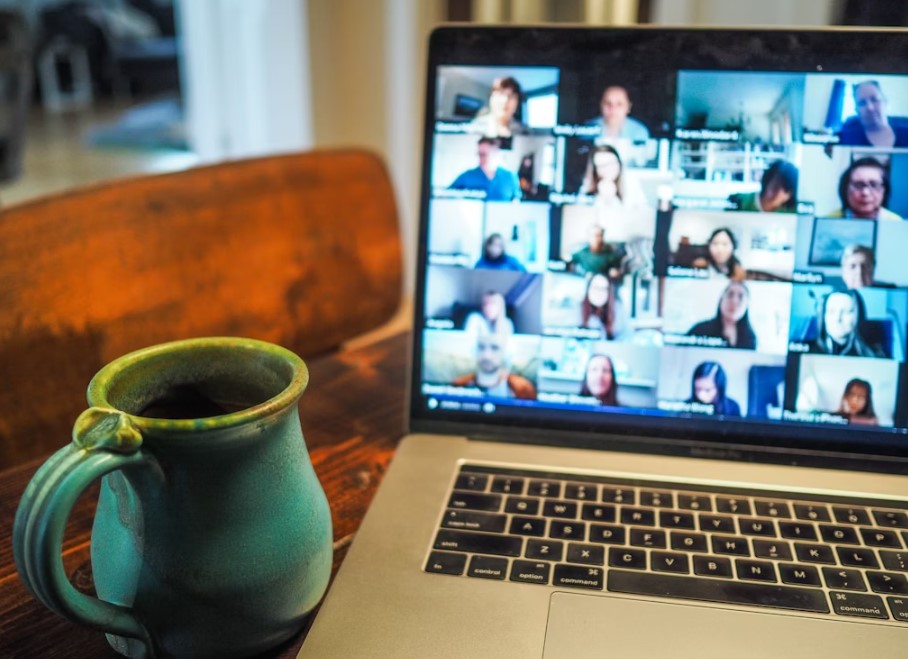
In today’s fast-paced digital world, video conferences have become an essential tool for communication in both personal and professional settings. Whether you’re attending an interview, presenting in a meeting, or collaborating with a team remotely, mastering the art of video conferencing can significantly enhance your productivity and professionalism. This article will guide you through essential video conference tips, with a special focus on interview video conference tips, Microsoft Teams video conference tips, and other practical strategies to help you succeed in virtual meetings.
Introduction
Video conferencing has revolutionized the way we communicate, enabling people across the globe to collaborate seamlessly without the need for face-to-face interaction. Whether you’re participating in a video conference interview, hosting a Microsoft Teams video conference, or simply joining a team meeting, your ability to present yourself professionally can have a significant impact. In this article, we will explore essential video conference tips that will help you make a lasting impression, stay focused, and engage effectively with your audience.
Preparation: The Key to a Successful Video Conference
A successful video conference begins with thorough preparation. To ensure everything goes smoothly, consider the following tips:
2.1. Testing Your Technology
Before the video conference begins, it’s crucial to test your equipment. Technical difficulties can be distracting and make a poor impression. Here’s what you should check:
- Internet Connection: Ensure your internet connection is stable and strong. A slow or interrupted connection can cause lagging or disconnections.
- Audio and Video: Test your microphone and camera before the meeting. Use quality headphones or a headset to improve audio clarity. Make sure your camera provides a clear view of your face and that your background isn’t distracting.
- Software: Whether you’re using Zoom, Microsoft Teams, or another platform, ensure your software is up to date and that you know how to use its features. Familiarize yourself with features such as screen sharing, chat, and muting/unmuting yourself.
2.2. Preparing Your Environment
Your environment plays a significant role in the overall impression you make during a video conference. Here are some considerations:
- Lighting: Ensure that the lighting is good and doesn’t create harsh shadows. Natural light is ideal, but if you’re indoors, position your camera in front of a light source.
- Background: A cluttered or distracting background can take the focus away from you. Opt for a clean, neutral background, or use a virtual background if the platform allows it.
- Distractions: Minimize distractions by closing unnecessary apps, muting your phone, and informing those around you that you’ll be in a meeting. If you’re working from home, consider using “Do Not Disturb” mode on communication apps.
Video Conference Etiquette
Maintaining proper video conference etiquette ensures that your interactions are professional and smooth.
3.1. Be on Time
Punctuality is just as important in virtual meetings as it is in person. Join the meeting a few minutes early to test your connection and prepare. Being late can disrupt the flow of the meeting and make you appear unprofessional.
3.2. Mute When Not Speaking
To avoid background noise or distractions, always mute your microphone when you’re not speaking. This will make the meeting more pleasant for all participants, especially if you’re in a noisy environment.
Interview Video Conference Tips
Whether you’re attending a video conference interview for a job or a virtual meeting with a potential client, the stakes are high. Here are some tips to help you shine:
4.1. Dress Professionally
Although you may be attending a video interview from the comfort of your home, it’s important to dress as you would for an in-person interview. A neat, professional appearance creates a positive first impression.
4.2. Research and Practice
Preparation is key for a successful video interview. Research the company, the role you’re applying for, and the interviewer if possible. Practice common interview questions and answers in front of the camera to ensure you come across as confident and articulate. Make sure your tone is clear and your body language is positive.
Microsoft Teams Video Conference Tips
Microsoft Teams is one of the most popular platforms for virtual meetings in the business world. Here are some Microsoft Teams video conference tips to help you maximize its features:
5.1. Optimize Your Microsoft Teams Settings
Microsoft Teams offers several settings that can enhance your experience. Be sure to:
- Adjust your camera and microphone settings to ensure clear audio and video.
- Use the background blur feature to eliminate distractions and keep the focus on you.
- Enable the Live Captions feature for added accessibility, which transcribes spoken words into text in real time.
5.2. Collaborate Efficiently Using Teams Features
Teams is built for collaboration. Take advantage of features such as:
- Screen sharing: Share your screen to present documents or projects during the meeting.
- Breakout rooms: Use breakout rooms for smaller group discussions during larger meetings.
- File sharing: Share documents and other files with participants for easy collaboration during or after the meeting.
Also Read: From County to Country Ben Duckett’s English Cricket Story
Engagement and Communication Tips
In virtual meetings, engagement can sometimes be challenging, but there are strategies to keep your audience interested:
- Make Eye Contact: Look directly at the camera, not the screen, to simulate eye contact with participants.
- Speak Clearly: Virtual meetings often cause slight audio delays. Speak clearly and at a moderate pace to ensure that everyone can understand you.
- Use Visual Aids: Use slides, diagrams, and screen sharing to help convey your message more effectively.
Troubleshooting Common Video Conference Issues
Technical issues are inevitable in virtual meetings, but there are steps you can take to resolve them:
- Audio Issues: If participants can’t hear you, check if your microphone is muted. Ensure the microphone is correctly selected in your settings. If the sound is distorted, try switching to a different audio device.
- Video Issues: If your camera is not working, restart your software or try unplugging and re-plugging your camera. Check the camera settings and permissions in your software.
- Connection Issues: If you’re experiencing lag or dropped calls, check your internet connection. Try moving closer to your router or switching to a wired connection.
Also Read: Shaherah White: Everything You Need to Know About Barry White’s Daughter
Conclusion
Mastering video conference tips is essential for success in today’s digital landscape. Whether you’re attending an interview video conference, leading a Microsoft Teams video conference, or simply participating in a team meeting, the way you present yourself can significantly impact your professional reputation. By preparing in advance, maintaining proper etiquette, and utilizing the features of video conferencing tools, you can ensure that your virtual meetings are effective, productive, and professional.
FAQs
1. How can I improve my video conferencing skills?
Improving your skills starts with preparation. Test your equipment, set up a professional environment, and practice your communication techniques. Over time, you’ll become more comfortable and confident in virtual meetings.
2. What should I do if my internet connection is unstable during a video conference?
If your connection is unstable, try moving closer to your router or switch to a wired connection. If possible, turn off other devices or applications that may be using up bandwidth.
3. How can I engage participants in a video conference?
Engage participants by asking questions, encouraging participation, and using visual aids to keep the meeting interactive. Remember to maintain eye contact and speak clearly.
For more update visit dailycaller.co.uk
